MCP 101: The Protocol That's Freeing AI From Its Cage
MCP 101: The Protocol That’s Freeing AI From Its Cage
Ever feel like your AI tools (ChatGPT, Claude) are geniuses stuck in a bubble? They know everything… but can’t touch your files, databases, or apps without clunky workarounds? Enter Model Context Protocol (MCP) – the game-changer making AI truly useful. If USB-C revolutionized device connections, MCP does the same for AI integrations. Ready to build bridges between your AI and real-world tools? Let’s dive in – this guide will have you prototyping in minutes.
What is MCP? (And Why It’s a Big Deal)
MCP is an open-source protocol for connecting AI models to external data and tools seamlessly. Before MCP, integrating AI with services (e.g., GitHub, databases) meant custom code for every combo – an “N×M” nightmare (N AIs × M tools = endless hassle).
Why care? MCP slashes dev time, enables dynamic updates (no more breaking changes), and turns isolated AIs into workflow superheroes. Adopted by OpenAI, Anthropic, and Microsoft, it’s the future of AI. Think of MCP as the “USB-C for AI applications” – a universal connector that lets AI models plug into various tools and databases in a consistent way.

How MCP Works: The Simple 3-Part Architecture
MCP uses a clean client-server setup:
- Host Application: Your AI interface (e.g., Claude Desktop, VS Code with Cursor). It’s the “home base” running everything.
- MCP Client: The connector inside the host, handling talks with servers (like a universal adapter).
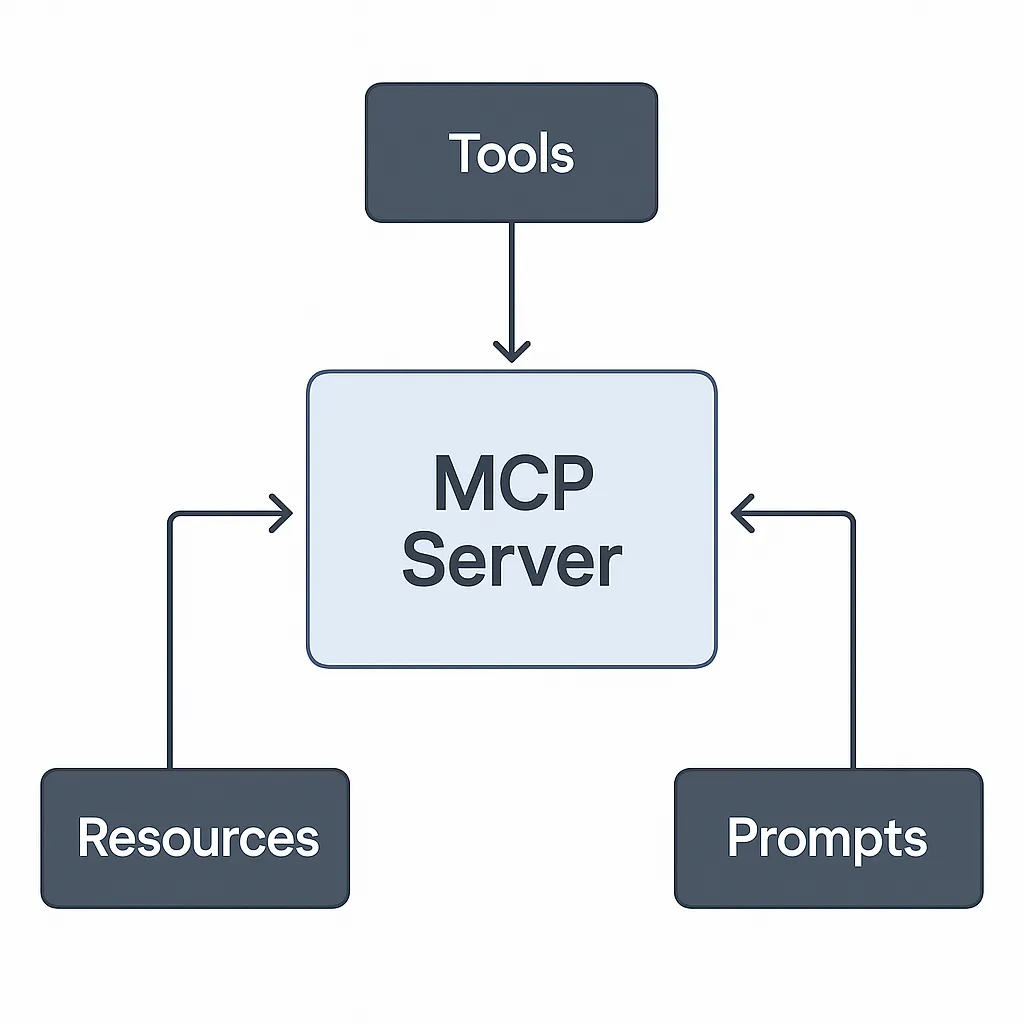
- MCP Server: Your custom bridge exposing Tools (actions like “create PR”), Resources (data like files/DBs), and Prompts (reusable AI templates).
This trio lets AI “discover” capabilities on-the-fly. No hardcoding! The server can expose multiple capabilities through a single, standardized interface.
Why MCP Beats Traditional APIs
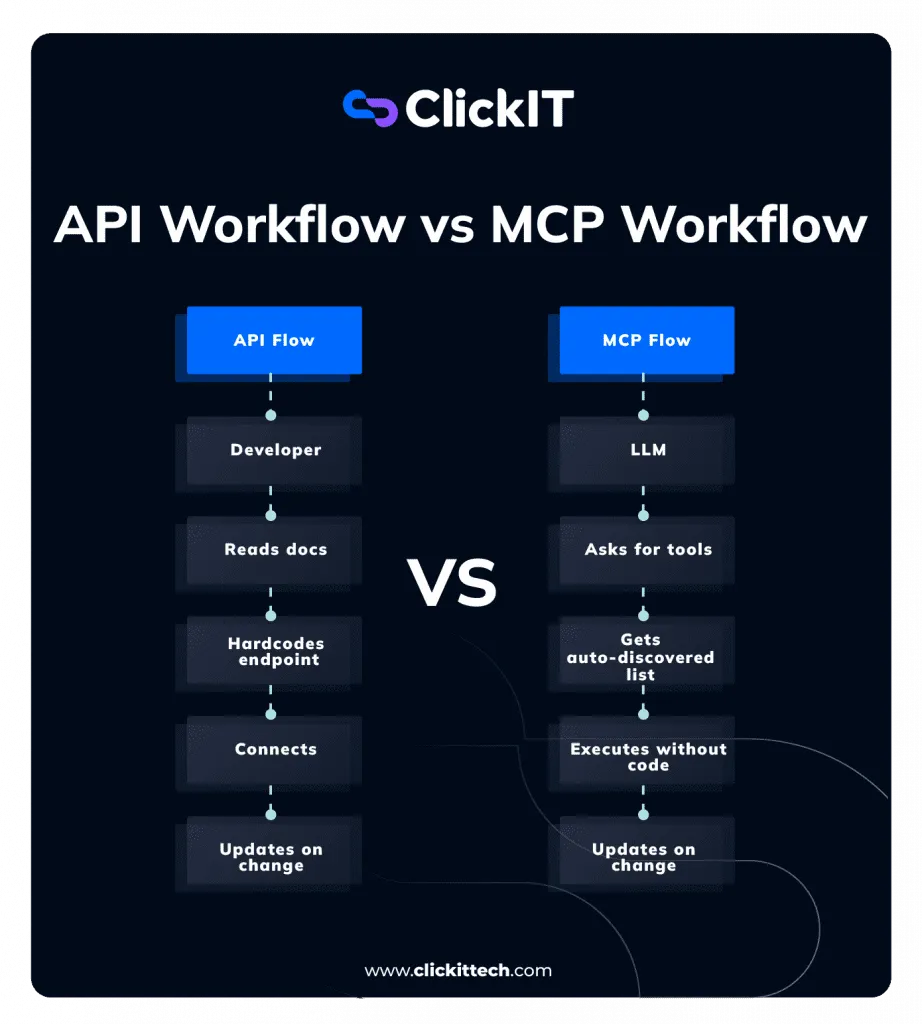
Traditional APIs are brittle: add a parameter, and you might break every integration. MCP is adaptive and smart.
| Aspect | Traditional API | MCP |
|---|---|---|
| Parameters | Hardcoded, static | Dynamic, discovered |
| Updates | Redeploy code | Auto-adapt |
| Integration | Custom per tool/AI | Standardized once |
| Flexibility | Low (vendor lock-in) | High (future-proof) |
MCP’s Smart Flow:
- Connect & Discover: Client pings server: “What can you do?” Server replies with available tools/resources.
- Exchange Capabilities: Server lists params/tools dynamically. Add a new param? Client learns instantly.
- AI Acts: LLM uses tools via natural language (e.g., “Check NYC weather tomorrow in Celsius”).
- Adapt & Evolve: Changes propagate without code tweaks – seamless!
Real-World Wins: Transform Your Daily Grind
MCP isn’t theory – it’s workflow rocket fuel. Here’s how it shines:
- Dev Supercharge: GitHub MCP Server – “Fix this bug and PR it” auto-handles code reviews, CI checks.
- Biz Insights: Link to CRM/DBs: “Q3 churn rate?” Pulls live data, no ETL hassle.
- Content Magic: Obsidian MCP – AI searches/writes notes. Perfect for bloggers.
- Automation Dream: Docker MCP Toolkit – One-click servers for scaling AI tools.
Pro Tip: For cybersecurity fans, build Kali MCP servers for AI-driven scans – ethical hacking, AI-style!
Build Your First MCP Server: 10-Min Python Tutorial
No PhD needed. Let’s create a weather tool server using Python and FastMCP. Prerequisites: Python 3.8+ or higher; code editor.
Step 1: Setup (Python Example)
# Create project directory
mkdir my-mcp-weather-server
cd my-mcp-weather-server

# Create virtual environment
python -m venv mcp-env
source mcp-env/bin/activate  # Windows: mcp-env\Scripts\activate

# Install FastMCP
pip install fastmcp
Step 2: Create Your Weather Server
Create weather_server.py – FastMCP handles protocol boilerplate:
from fastmcp import FastMCP
import asyncio

# Initialize FastMCP server
mcp = FastMCP("Weather Server")

@mcp.tool()
async def get_weather(location: str, unit: str = "C") -> dict:
    """Get current weather for a location."""
    # Mock API for demo - replace with real weather service
    await asyncio.sleep(1)
    mock_temp = 22 if unit == "C" else 72
    return {
        "location": location,
        "temperature": f"{mock_temp}°{unit}",
        "description": "Partly cloudy",
        "humidity": "60%",
        "wind": "10 mph"
    }

if __name__ == "__main__":
    mcp.run()
Step 3: Test Your Server
FastMCP includes built-in testing tools:
fastmcp dev weather_server.pyThis opens an interactive inspector where you can:
- View available tools
- Test tool calls with different parameters
- See dynamic responses
Challenge: Add a real weather API (e.g., OpenWeatherMap). Time yourself – under 10 mins?
Easy Integration: MCP + Claude Desktop
Method 1: Direct Configuration
- Download Claude Desktop (free).
- Open Settings > Extensions > Advanced Settings.
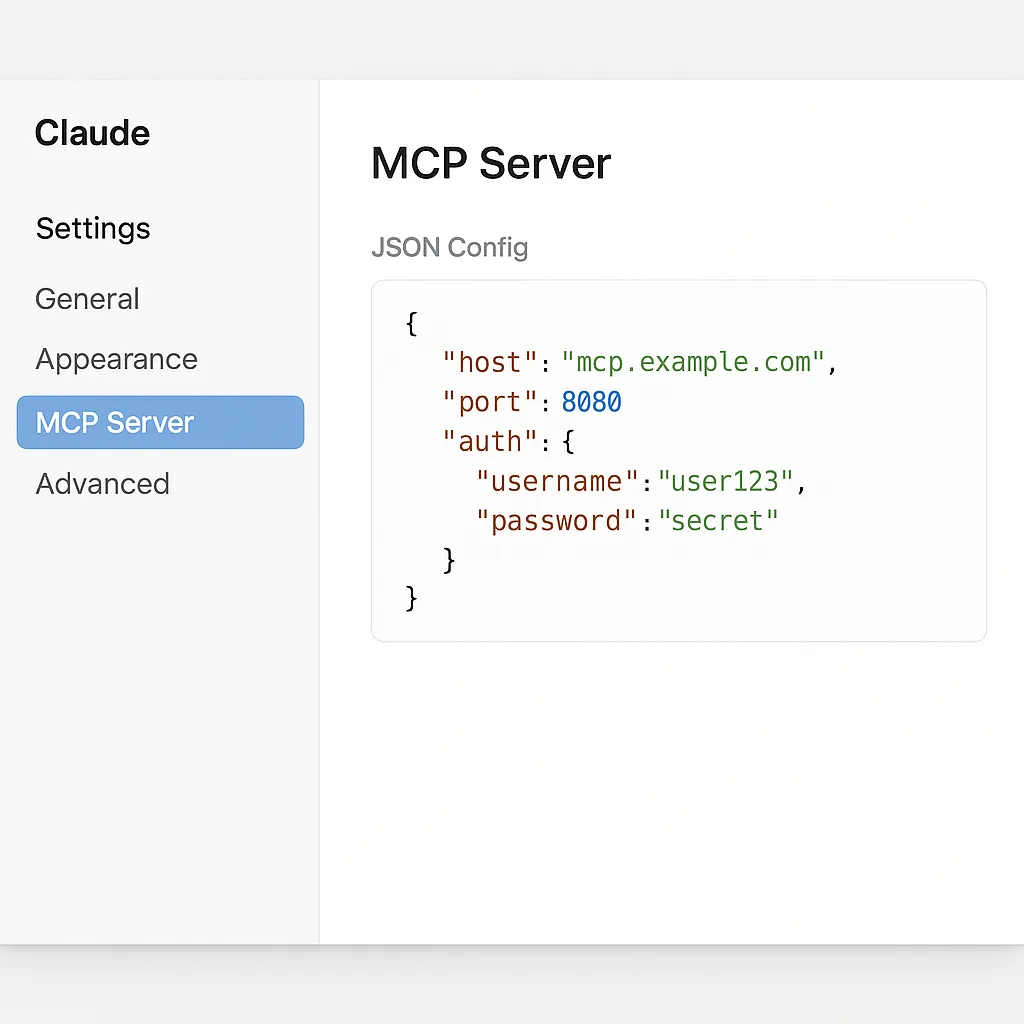
- Create or edit the MCP configuration file:
{
  "mcpServers": {
    "weather": {
      "command": "python",
      "args": ["weather_server.py"],
      "cwd": "/path/to/your/project"
    }
  }
}- Restart Claude Desktop – ask: “What’s the weather in Tokyo?” It uses your server!
Method 2: Desktop Extensions (Easier)
Claude Desktop now supports one-click extension installs:
- Navigate to Settings > Extensions
- Click “Browse extensions”
- Install weather-related extensions from the directory
- Configure API keys through the user-friendly interface
Why Switch to MCP Now?
APIs lock you in; MCP frees you. No more “update hell” – dynamic discovery means apps evolve together. Security? Built-in (OAuth/JWT). Scalable? Stateless design handles spikes.
Quantified Wins:
- Dev time: -60% on integrations
- Reliability: Auto-adapts to changes
- Ecosystem: 100+ pre-built servers (GitHub, Slack, etc.)
Studies show up to 30% increase in response accuracy when using MCP compared to traditional methods.
Real-World Examples: MCP in Action
SQLite Database Integration
Create a database-powered MCP server:
from fastmcp import FastMCP
import aiosqlite

mcp = FastMCP("Database Server")

@mcp.tool()
async def query_database(sql: str) -> dict:
    """Execute a read-only SQL query."""
    if not sql.strip().upper().startswith('SELECT'):
        return {"error": "Only SELECT queries allowed"}
    async with aiosqlite.connect('data.db') as db:
        cursor = await db.execute(sql)
        results = await cursor.fetchall()
        columns = [desc[0] for desc in cursor.description]
        return {
            "columns": columns,
            "rows": results,
            "count": len(results)
        }
GitHub Integration
Connect to GitHub for automated workflows:
@mcp.tool()
async def create_github_issue(repo: str, title: str, body: str) -> dict:
    """Create a GitHub issue."""
    # Implementation would use GitHub API
    return {
        "status": "created",
        "repo": repo,
        "title": title,
        "url": f"https://github.com/{repo}/issues/1"
    }
Deployment and Production Tips
Docker Containerization
Package your MCP server for easy deployment:
FROM python:3.11-slim
WORKDIR /app
COPY requirements.txt .
RUN pip install -r requirements.txt
COPY weather_server.py .
CMD ["python", "weather_server.py"]
Environment Configuration
Use environment variables for configuration:
import os
from dotenv import load_dotenv
load_dotenv()
API_KEY = os.getenv('WEATHER_API_KEY')
DEBUG = os.getenv('DEBUG', 'false').lower() == 'true'
DB_PATH = os.getenv('DB_PATH', 'weather.db')
Your Next Steps: Start Today!
- Explore MCP Directory – grab a ready server.
- Setup Claude + your first integration.
- Build/test the tutorial above.
- Docker-ize for production.
- Join community: Share your server on GitHub!
MCP isn’t hype – it’s the bridge turning AI from chatty to capable. Imagine agents supercharged with real tools. What’s your first MCP project?
Key Takeaways:
- MCP standardizes AI-tool integration, eliminating custom code for each connection
- Python’s FastMCP framework makes building servers incredibly simple
- Dynamic discovery means your tools evolve without breaking existing integrations
- Real-world applications span from database queries to GitHub automation
- The ecosystem is rapidly growing with 100+ pre-built servers available
Deeper Dive: Official Docs, Python SDK, FastMCP Documentation